Manage all pages simultaneoulsy
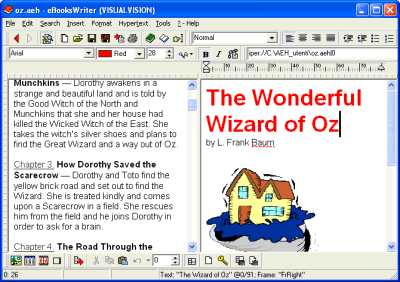
EbooksWriter’s user friendly environment manages multiple-page documents in a classical WYSIWYG editor. All pages are simultaneously available for editing, and are saved as a single document, instead of many scattered text and image files. This means you can archive and share a whole Ebook, for example, through one manageable file, as you might for plain text documents with your favorite Word Processor.
The fastest way to switch between pages is to double click a link (yes, you can browse even in the editor!), or by using the page number box:
The page toolbar, in the bottom of the main program window
The first page of a ebook
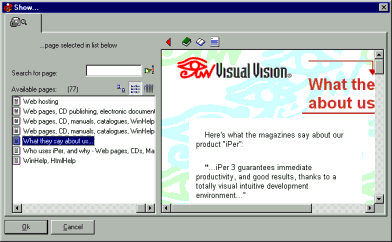
With “Hypertext >Go to page” you can choose the page to edit by name or through a browsing-enabled preview:
Choose the page to edit visually, with Hypertext >Go to page
Other VisualVision good programs:
|
The professional fast and easy e-book creator builder compiler protector software - the great program for creating building making good ebooks
|